Have an account? Sign in عربي
Please create the account using the official email address approved by the school, and avoid using an email intended for personal use; this is part of the requirements for approving the school's account.
We restored your details from your last visit and picked up where you left off. Start over
1About you
2Your school
3Verify

Welcome to CallTech

Create your school account

This page is for school owners and representatives to create the school's account on the platform.

About 3 minutesFree to startNo card required
Not a school? This page is for schools only. Parents and students do not sign up here and do not need an account; the school creates their accounts, and they only need the app.
Back

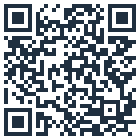
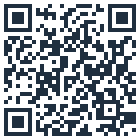
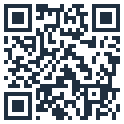
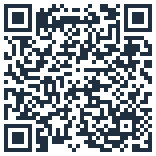
Download the CallTech apps

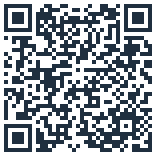
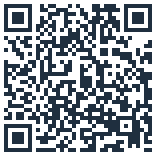
Scan a QR code with your phone camera, or tap the store button if you are already on your phone.

Nida app for parents & students
Attendance and pickup alerts, and calling your child to the gate.
CallTech School app
Manage attendance, gates and classes from your phone.
School team apps
For bus drivers and supervisors, and for canteen staff.
Back

Create your school's free account

Details of the person responsible for the account at the school.

First name is required
Last name is required
Please enter a valid email address
This email is already registered. You can sign in directly.
This looks like a personal email. Approving a school account requires the school's official email address.

By clicking Next you agree to our Terms of Service and Privacy Policy

Your details stay private and are never sharedProgress is saved automatically in this browser
Back

Tell us about your school

Three quick choices help us set the account up the right way.

Is your school public or private?
What type of school is it?
Which curriculum does your school follow?
No wrong answers, pick what fits bestYou can change these later in settings
Back

Welcome{{f.firstName ? ', ' + f.firstName : ''}}! Where is your school?

Choose the country, then type the city and pick it from the list.

Location can be updated any time in settingsProgress saved, finish whenever you like
Back

What is your school's name?

Write it exactly as officially registered; guardians will see this name.

Editable later from school settingsNo legal name needed, the everyday name is fine
Back

What is your role at {{f.entityName}}?

Your job title or position at the school.

No official title needed, describe it in your wordsVisible to your team only
Back

What is your mobile number?

We'll text you a verification code to confirm the number.

+966
Enter 9 digits, without the leading zero
{{otpSendError}}
For verification only, never shown to guardiansNo marketing messages
Change number

Enter the verification code

We sent a 6-digit code to +966 {{f.mobile}}

Checking the code…
Code verified
That code isn't right. Check it and try again

Didn't get the code? Resend ({{resendWait}})

It can take up to a minute to arriveAlmost done, one step left
Back

Review your details before creating the account

Make sure everything is correct; you can edit any section before submitting.

About youEdit
Name
{{f.firstName}} {{f.lastName}}
Email
{{f.email}}
Your schoolEdit
School name
{{f.entityName}}
School type
{{label('type')}} · {{label('gender')}} · {{label('track')}}
Location
{{f.city}}, {{f.country.country_en}}
Your role
{{f.userRole}}
VerificationEdit
Mobile number
+966 {{f.mobile}} Verified
Test mode: code 9999999 is accepted on local copies only, and no account will be created.
{{signupError}}
Nothing is created until you press the buttonEverything can be edited later

Check your email

We sent an activation link to

Didn't get it? Check your spam folder, or request another email below. The link activates the account for {{f.entityName}} and lets you sign in straight away.
What's next?
  1. Open the email and click the activation link
  2. Sign in with your new account
  3. Add branches and classes, then import your students
Manage your school on the go

Download the school app to follow attendance and gates wherever you are.

Resend the email — sent again successfully